
💡 How to Troubleshoot “Not Charging” Issues — Step‑by‑Step
If your device isn’t charging as expected, it’s usually due to one of a few common issues — and most can be fixed quickly once you know what to check. Follow this step‑by‑step guide to diagnose what might be stopping the charge.
🔌 1. Check Your Charging Cable
Start with the cable — it’s one of the most frequent causes of charging problems:
-
Inspect for damage: bends, exposed wires, frayed ends, or broken connectors can interrupt charging.
-
Try a different cable: if your device charges with another cable, the original one is likely the issue.
If you’re looking for recommended cables:
AOHi Adonis USB4 2.0 LED Display Cable — excellent for high‑speed charging and data.
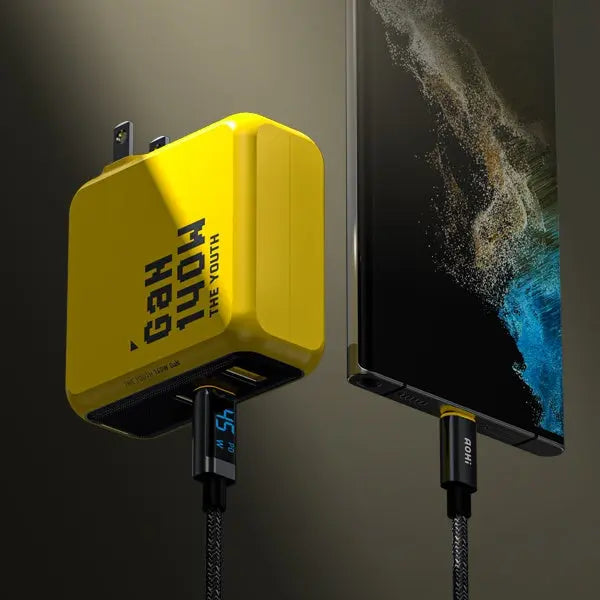
AOHI 140W Fast Cable with LED Display — real‑time power display and solid charging performance.

🔌 2. Check the Charger / Power Adapter
Not all chargers deliver the same power:
-
Make sure it supports the needed protocol: PD3.1 / PPS / QC etc. are common fast‑charge standards.
-
Test with another charger: if another adapter works, your original may be faulty or incompatible.
We recommend high‑power options like:
AOHI Magcube Pro 140W GaN+ Fast Charger — powerful fast charging up to 140W supporting many devices.
AOHI Youth 140W GaN+ USB‑C Charger — compact 3‑port charger great for phones, tablets, and laptops.

⚙️ 3. Check the Device Port
The port on your device could be the issue:
-
Look for debris or dust in the port — even tiny particles can prevent a clean connection.
-
Ensure the cable plug fits snugly — loose connections often fail to charge.
If the port or connectors seem loose or damaged, it’s worth checking device repair support.
📊 4. Check Charging Protocol Compatibility
Modern fast charging involves communication between cable, charger, and device:
-
Use cables and chargers that support the right protocols (e.g., PD 3.1 for 140W).
-
Some devices may limit fast charging if the protocol isn’t recognized properly.
Using the right certified accessories (like the ones linked above) helps ensure compatibility.
📱 5. Software / System Checks
Sometimes the device itself needs a reset:
-
Restart the device — this can fix many power negotiation issues.
-
Update to the latest system version — manufacturers sometimes improve charging compatibility with updates.
🛠 Final Tips
If you’ve tried all the steps above and still can’t get a charge:
✔️ Test with another known‑good cable + charger combination
✔️ Contact manufacturer support with details about your device, cable, and charger
🔗 Recommended Products
-
Charging Solutions:
• AOHI Magcube Pro 140W GaN+ Fast Charger — top‑tier high‑power charger up to 140W.
• AOHI Youth 140W GaN+ USB‑C Charger — great multi‑device charging solution. -
Cables:
• AOHI 140W Fast Cable with LED Display — visual charging feedback.
• AOHi Adonis USB4 2.0 LED Display Cable — high‑speed, high‑power cable.